Spyro: A Realm Beyond Pre-Launch Wishlist Checklist
A practical checklist to wishlist every relevant storefront, plan Game Pass, follow official channels, and watch The Game Awards 2026.
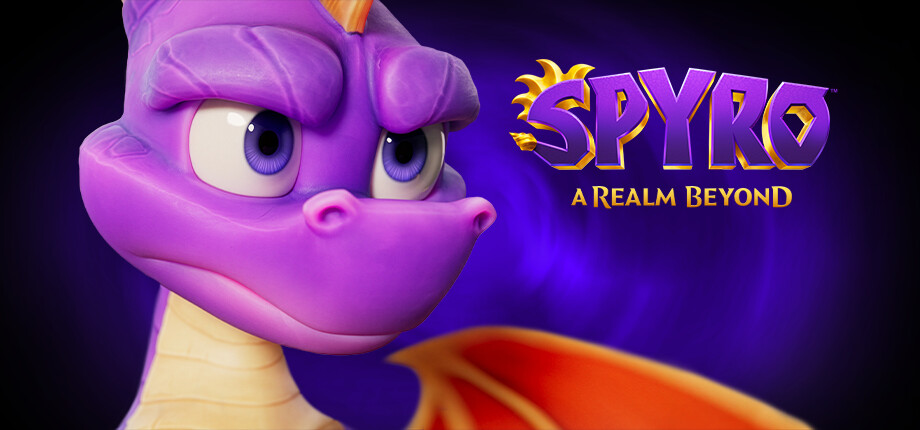
Use this wishlist checklist to prepare for Spyro: A Realm Beyond without relying on memory the week a trailer drops. The game is due Spring 2027 from Toys for Bob and Activision on Xbox Series X|S, PlayStation 5, Nintendo Switch 2, and PC (Steam app ID 4245560 and Microsoft Store), with day-one Xbox Game Pass and Xbox Play Anywhere. Work top to bottom, tick what applies to your household, then return after The Game Awards 2026 or any new Updates Hub post. Parent context lives on the Tools Hub.
1) Storefront wishlists (tick every platform you might use)
Steam (PC)
- Open the Steam store page for Spyro: A Realm Beyond (app 4245560).
- Click Wishlist while logged in.
- Enable Steam notification emails if you want discount and release alerts.
Xbox / Microsoft Store (console + PC)
- Wishlist on Xbox Series X|S storefronts and/or the Microsoft Store on Windows.
- Remember Play Anywhere: Xbox console and Windows PC versions are designed to travel together for this title’s Xbox ecosystem messaging.
- If you subscribe to Game Pass, still consider wishlisting so release reminders appear in your store UI.
PlayStation 5
- Wishlist via PS Store on console or web.
- Confirm the region account you actually play on — wishlists do not always mirror across unused accounts.
Nintendo Switch 2
- Wishlist or follow the game in Nintendo’s storefront once the listing is available on your account region.
- Keep firmware and shop payment methods current before Spring 2027 to avoid last-minute store errors.
2) Xbox Game Pass decision checklist
A Realm Beyond is confirmed for day-one Game Pass. Ask yourself:
- Will I play first on Xbox console via Game Pass?
- Will I play on PC Game Pass / Xbox app on Windows?
- Do I need cloud streaming options referenced in Xbox reveal messaging?
- Is anyone in my home buying a different platform edition anyway (PS5 / Switch 2 / Steam)?
If Game Pass covers your plan, you may not need a premium purchase on Xbox/PC — but you should still follow Xbox Wire / Spyro channels for preload and cloud status notes closer to launch. If you prefer Steam features (Proton experiments, non-Xbox PC libraries, etc.), keep the Steam wishlist active even as a backup.
3) Official channels to follow
Tick each source you can actually check weekly:
- Official Spyro site: spyrothedragon.com
- Spyro social accounts (including the handles referenced in site metadata such as @SpyroTheDragon)
- Xbox Wire reveal article and Xbox socials for Game Pass timing
- PlayStation and Nintendo blog/social channels for platform-specific trailers
- Steam news hub on app 4245560 for PC patches later
Canonical link list: Links Hub.
4) The Game Awards 2026 watch list
Activision teased more Spyro information around The Game Awards 2026 on December 10. Prepare like a producer:
- Add December 10, 2026 to your calendar with a reminder one hour before the show’s published start.
- Note which streaming outlets the Game Awards list for the year (they can change).
- Skim Painted Plains reveal beforehand so new footage compares cleanly to November art.
- Re-read announcement facts (platforms, flight, Tom Kenny) so rumors do not overwrite basics.
- After the show, update personal notes: new date? gameplay length? Scav visibility? ally names?
Mark speculation clearly — a tease is not a guarantee of a ten-minute gameplay demo.
5) Hardware and household prep
- Confirm storage headroom on the platform you expect to preload.
- Test headsets/speakers; flight games reward clear audio mix cues.
- Decide who gets first session if one Game Pass share covers the household.
- Optional: replay Spyro Reignited Trilogy for movement nostalgia without assuming identical controls.
6) Knowledge checklist (avoid misinformation)
- I know the game is single-player.
- I know Stewart Copeland is not composing this entry.
- I know true dragon flight and Tom Kenny are confirmed pillars.
- I know Spring 2027 is the window, not a fabricated day.
- I know Scavs details are still limited officially.
7) After you finish ticking
Return to the Tools Hub whenever new utilities publish, browse Characters for Spyro/Scavs primers, and keep the Updates Hub bookmarked. Wishlisting does not replace staying informed — it just ensures storefront algorithms know you care when Activision flips the buy button.
Revisit this checklist monthly until launch. Store pages change, Game Pass menus move, and showcase dates fill calendars fast. Fifteen minutes of upkeep now beats missing a preload window in Spring 2027.
Frequently Asked Questions
Quick answers about Spyro: A Realm Beyond.
Do I need to wishlist on every platform?
Wishlist every platform you might actually play. If you are Xbox/PC Game Pass only, still consider an Xbox/Microsoft wishlist for reminders; add PlayStation, Nintendo, or Steam if those are realistic options for you.
What is the Steam app ID?
4245560. Use it to find the correct Spyro: A Realm Beyond store page quickly.
Is day-one Game Pass confirmed?
Yes. Official reveal materials state Spyro: A Realm Beyond will be included with Xbox Game Pass on day one, with Play Anywhere support between Xbox and Windows.
Why include The Game Awards on a wishlist page?
Activision teased more Spyro information around TGA 2026 (December 10). Watching that show is part of practical pre-launch prep alongside storefront wishlists.
Where are official URLs collected?
See the Links Hub for Steam, Xbox Wire, spyrothedragon.com, Wikipedia, and related destinations in one list.